Same sneaker name, different shoe: why the style code matters
Two tabs, two white Air Force 1s, two different prices. Before deciding which is the better buy, check whether you are looking at the same product. A familiar name and a similar photograph can hide a different edition, size category or colourway. The style code is where that comparison should start.
 The RestocksAIO teamOperators, not flippers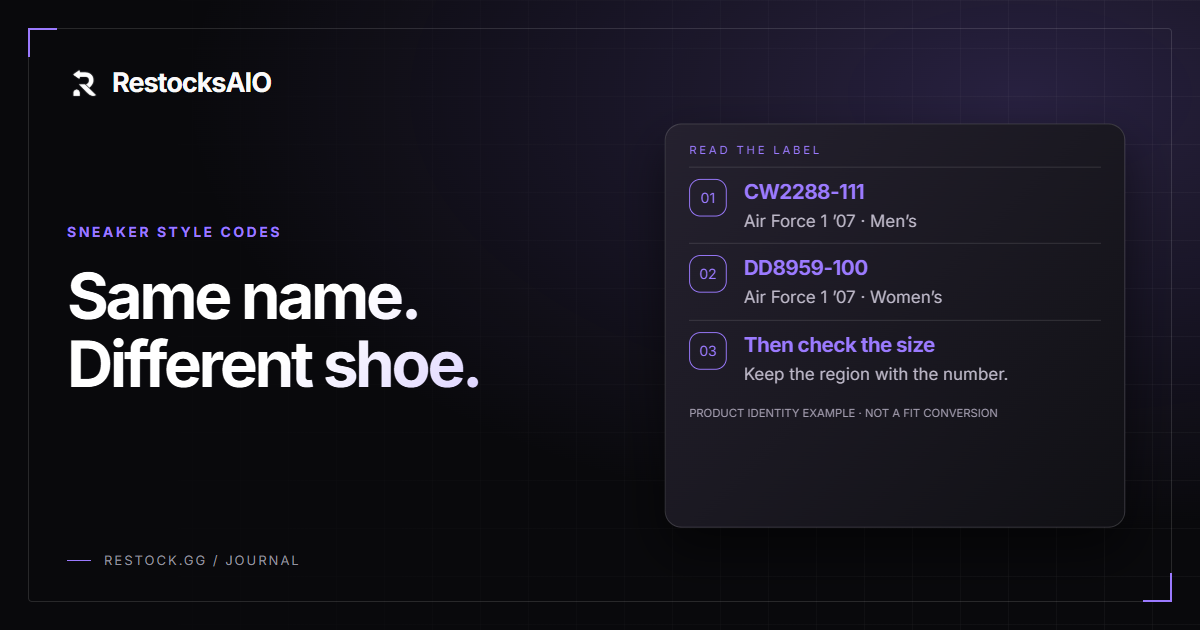
One name can describe two different products
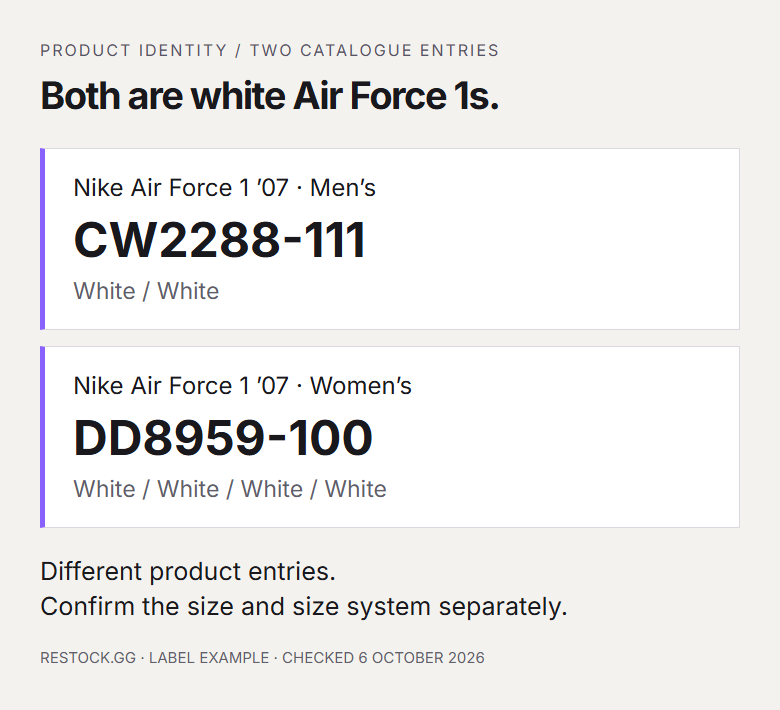
Nike lists the white men's Air Force 1 '07 as CW2288-111. Its white women's Air Force 1 '07 carries DD8959-100. Both can reasonably appear in a search for “white Air Force 1”, and a small product thumbnail may not help you distinguish them. They are nevertheless separate catalogue entries.
That distinction matters when checking a price, replacing a favourite pair or fulfilling a customer request. Matching the familiar silhouette gets you into the right family. Matching the full style code gets you closer to the exact version. You still need to check size and condition before calling two offers equivalent.
Neither version is automatically the better choice. The point is to make that choice consciously, instead of discovering the difference when you read the box.
Read the complete code, including the ending
Look for the brand's style or article number in the product details, then compare it with the label on the box or inside the shoe when you have the pair. Copy the whole value. In the Nike example above, CW2288 alone leaves out the final part of the listed identifier.
A retailer may display spaces where another uses a hyphen. That is a reason to check the characters carefully, rather than dismissing a match immediately. It is not a reason to ignore a different digit. If the code and photograph disagree, ask the shop to confirm which product it is supplying.
Also distinguish a manufacturer code from a shop's internal reference. A field labelled “SKU” can mean either. Search using the brand's identifier when comparing different retailers.
A small change in the name can mean a different design
The ASICS GEL-NYC and GEL-NYC 2055 illustrate another trap. The extra number is easy to overlook in a long shop title, but it identifies a different design. The GEL-NYC draws upper details from the GEL-NIMBUS 3 and GEL-MC PLUS V. The 2055 instead references the GT-2050 and GT-2060.
Both use a tooling system derived from the GEL-CUMULUS 16, which helps explain the family resemblance. Shared design ancestry does not make their uppers interchangeable. Someone asking for one may specifically want its overlays, heel shape or colour placement.
Read suffixes before comparing photographs. Then look at the side, heel and top views. Treat any missing version information as an unanswered question, especially when a listing title has been shortened for a search result.
The style code does not choose your size
A matching style code is only part of a useful comparison. You also need the size and the system it belongs to. “Size 8” leaves a question open: which region and which product size chart? Keep the full label, including US, UK or EU, rather than copying the number alone.
Use the brand's chart for the particular product category. Do not assume that a men's, women's or children's entry can be substituted just because two listings show a familiar number. If you are buying for someone else, confirm the version they want as well as their size.
For repeat purchases, the label from a pair that already fits is a useful reference. It is still worth checking the new product's fit guidance when the edition changes.
A barcode answers a different identification question
A style code commonly groups the sizes of a particular sneaker version. A GTIN identifies a trade item more specifically: under GS1's rules, different size and colour variations require separate GTINs. The barcode is the machine-readable carrier; the number is the identifier.
This makes a barcode lookup useful when the box is in front of you, but read the returned product and size rather than accepting the first result blindly. A retailer's internal stock barcode may not be the manufacturer's GTIN, and a database can contain incomplete information.
A successful match also does not authenticate a physical pair. A copied label can carry a real code. Product identification and authenticity checking solve different problems, even when both start with the same box.
Compare shops after you have identified the pair
Once the code and version are settled, a comparison becomes much more useful. You can use HYPEIBIZA to search by style code and compare the shops listing that product. Check the available sizes and the recorded check time, then open the retailer's page to confirm the exact offer.
The comparison site directs you to the shop; the purchase takes place there. Confirm the size selector, delivery destination and checkout total before paying. An earlier stock observation is useful evidence of availability, but it is not a reservation.
If two prices still differ, at least you now know which question you are answering. You are comparing offers for an identified product, instead of comparing two pictures that happen to look alike.
Keep the identity with the pair
Save the confirmed code, edition and full size label with your purchase record. If you later sell the pair, those details belong in the listing too. A nickname can help someone discover a shoe; it should not carry the entire description.
For larger inventories, the barcode intake workflow covers recording a pair when it arrives. The habit starts earlier, with the first product page: identify the exact shoe, confirm the size, then compare the offer. The next time two near-identical sneakers appear at different prices, check the labels before judging the deal.
Related reading
All articles
Barcode-scanning your sneaker inventory: a faster intake workflow
Typing SKUs into a spreadsheet is the slowest part of running stock. A laser scanner feeding the Item Addition Window turns intake into a few seconds per box.
Sourcing at retail: finding the pair before you promise it
Listing stock you do not hold only works if you can actually find the pair at a price that leaves a margin. Here is how to check retail before you commit.