Own photos or cutouts: which photo each marketplace takes
Vinted and Wallapop need your own photos of the item, as they are. eBay and your Shopify store take a cutout on a white background as the cover photo. So photograph each pair once, keep the original, and make a cutout for eBay and Shopify only. RestocksAIO sends each channel the right version.
 The RestocksAIO teamOperators, not flippers
Which channel takes which photo
| Channel | Photo rule | What RestocksAIO sends |
|---|---|---|
| Vinted | Photos taken by you, of the item as it is. No stock photos and no image editing. Up to 20 photos | Your own photos only, never a cutout |
| Wallapop | Images must show the item on offer correctly and match the title and description | Your own photos only, never a cutout. Up to 10 photos |
| eBay | At least 500 pixels on the longest side. No borders, text or watermarks. No stock photos for used items. Up to 24 photos | The cutout first, then your other photos |
| Shopify | Your own store, so you set the style | The cutout first, then your other photos |
The marketplace rules come from each marketplace's help and policy pages, checked on 26 October 2026.
Vinted photo rules
Vinted's catalogue rules say that you take the photos yourself, for use on Vinted. Stock photos, photos from ads and watermarked images are not allowed. The photos must show the item as it is, and no image editing is allowed. A background-removed cutout is an edited image, so keep it off Vinted.
Vinted's photo guide adds practical rules. The first photo shows the whole item, with no collage. Shoot in daylight, without flash or filters. Add close-ups of the labels and logos of a branded item, and show every defect. You can upload up to 20 photos for each item.
Wallapop photo rules
Wallapop's policy on misleading listings bans images that are inaccurate or that do not show the item on offer correctly. The title, images, price and description must match each other. A real photo of the pair you ship meets that rule.
RestocksAIO applies the stricter rule to Wallapop too. It sends only your own photos, at most 10 for each item. Each photo must be a JPEG, PNG or WebP file of 3 MB or less.
Background removal for eBay listings
Edited photos are fine on eBay. Its own photo tool can replace the background with solid white. Its help pages say that white backgrounds are generally best. The recommended size is about 1,600 by 1,600 pixels, and the minimum is 500 pixels on the longest side.
The eBay picture policy has three limits that matter for a cutout. Add no borders. Add no text, artwork or watermark of any kind. Use no stock or catalogue photo for a used, damaged or defective item. A cutout of your own photo of the pair is still your photo. For a used pair, add the unedited photos of its wear and defects after the cutout.
How RestocksAIO sends each channel the right photo
Open Inventory → Photos, select the photos and click Remove background. The app makes a new stored photo of each one, with a white background and the label cutout. The cutout joins the units, products and groups of its original, and the original stays in the library.
In the Publish Composer, eBay and Shopify listings show the cutout first. Vinted and Wallapop never get a cutout. The other photos follow in one order: the cover, then front, side, back, sole, top, detail, box, tag and lifestyle. A photo with the defect label is always included.
When a pair has no own photo, the composer blocks Vinted and Wallapop and still publishes the other channels. eBay and Shopify can use catalogue pictures for a new pair.
FeaturePhoto storageStore your photos once, make cutouts, and send each channel the right version.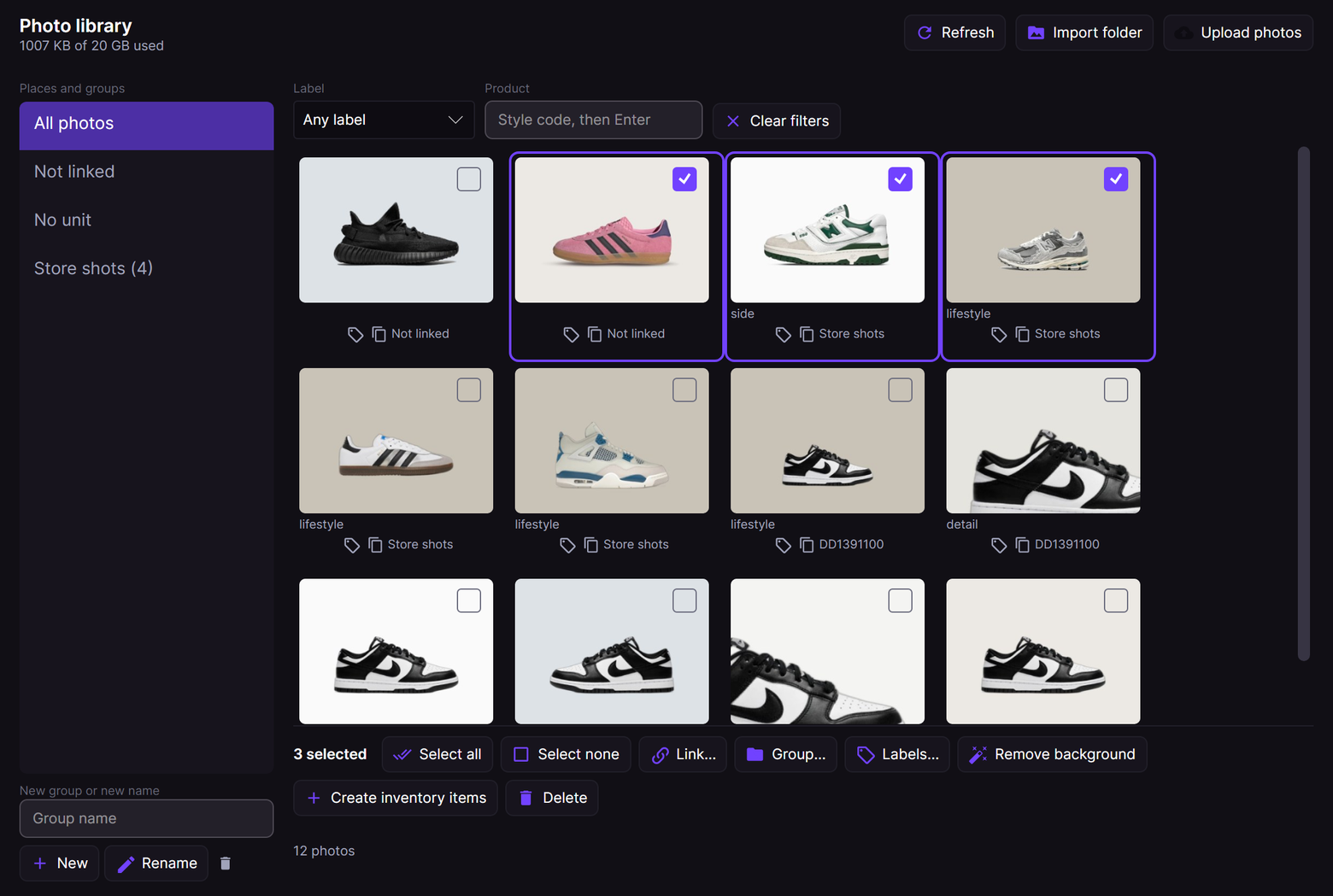
Shoot once for four channels
Photograph each pair one time, on a plain surface in daylight. Take the front, both sides, the back, the sole, the size label, the box label and every defect. Give each photo its label, so the composer puts it in the right place.
Photo storage keeps up to 24 photos for each unit or product, and Premium includes 20 GB for each account. The service converts each photo to JPEG and removes the camera and location data. Each stored photo has a public address, so never photograph a shipping label or an address.
Related reading
All articles
Vinted crosslisting for sneaker resellers after October 2026
A large crosslisting tool closed Vinted to new users on 2 October 2026. How a sneaker seller now lists pairs on 22 Vinted sites with own photos, stock sync and one inventory.
How resellers sell returned pairs and clothing on Vinted
Rejects, buyer returns, damaged boxes and leftover clothing all end up on Vinted. Grade each item, keep its real cost, photograph it once and list one item per pair.
How to cross-list sneakers across marketplaces (without overselling)
Cross-listing shows the same pair to every buyer pool, so it sells faster. It only works if synced inventory and auto-delisting stop you selling a unit twice.