How to sell Pokémon cards on Cardmarket: list, price and ship
To sell Pokémon cards on Cardmarket, list each copy on the page of its exact print, grade its condition honestly and price it from the Cardmarket trend. Then ship each paid order quickly and mark it as sent with the tracking code.
 The RestocksAIO teamOperators, not flippers
Choose the right seller account
Cardmarket has three seller types: private, professional and power. A private seller is a casual seller with a smaller collection and fewer sales. Private sellers can offer at most two copies of one sealed product, such as a booster box.
The professional account is for a business. Cardmarket asks for a phone number, a photo ID and your business registration, and a professional seller has no selling limits. Start as a private seller if you sell part of a collection. Move to professional when you buy stock to resell.
Your first five sales use the Trustee Service. Cardmarket then holds the payment until the buyer confirms that the order arrived.
List each card on its exact print
Most Pokémon cards exist in several versions: set printings, promos and reprints. Cardmarket has one page for each version, and you must list each copy on the page of its exact version. A copy on the wrong page draws complaints and cancellations.
The name, set, language, condition, foil, signed and altered fields are the facts that a buyer filters on. A comment cannot change them, so a reverse holo in the comment of a normal print is still a normal print. If a print has no page, Cardmarket support adds it.
In RestocksAIO, Scan cards reads the set code and number from a photo and finds the Cardmarket print. Add cards also reads a CSV file from Cardmarket, TCGplayer or Collectr. Check the print, the language and the condition of each copy before you list it.
Grade the condition before you list
Cardmarket uses seven grades: Mint (M), Near Mint (NM), Excellent (EX), Good (GD), Light Played (LP), Played (PL) and Poor (PO). Grade the front and the back. A card is Near Mint only when both sides are Near Mint, so a card that you would call NM/EX is Excellent.
Cardmarket advises against the Mint grade for most cards. If a buyer complains about a Mint card, the seller must prove the grade. Grade one step lower when you are not sure. A buyer who gets a better card than the listing leaves good feedback.
Price from the trend, above your floor
Cardmarket shows a price guide for each print: the trend, the lowest offer and averages over 1, 7 and 30 days. The trend is a steadier start than the lowest offer, which one seller in a hurry can drag down.
Set a floor before you set a price. The floor is your cost plus the Cardmarket fee, the postage and the profit that you want. A copy that cannot sell above its floor belongs in a lot or on another channel.
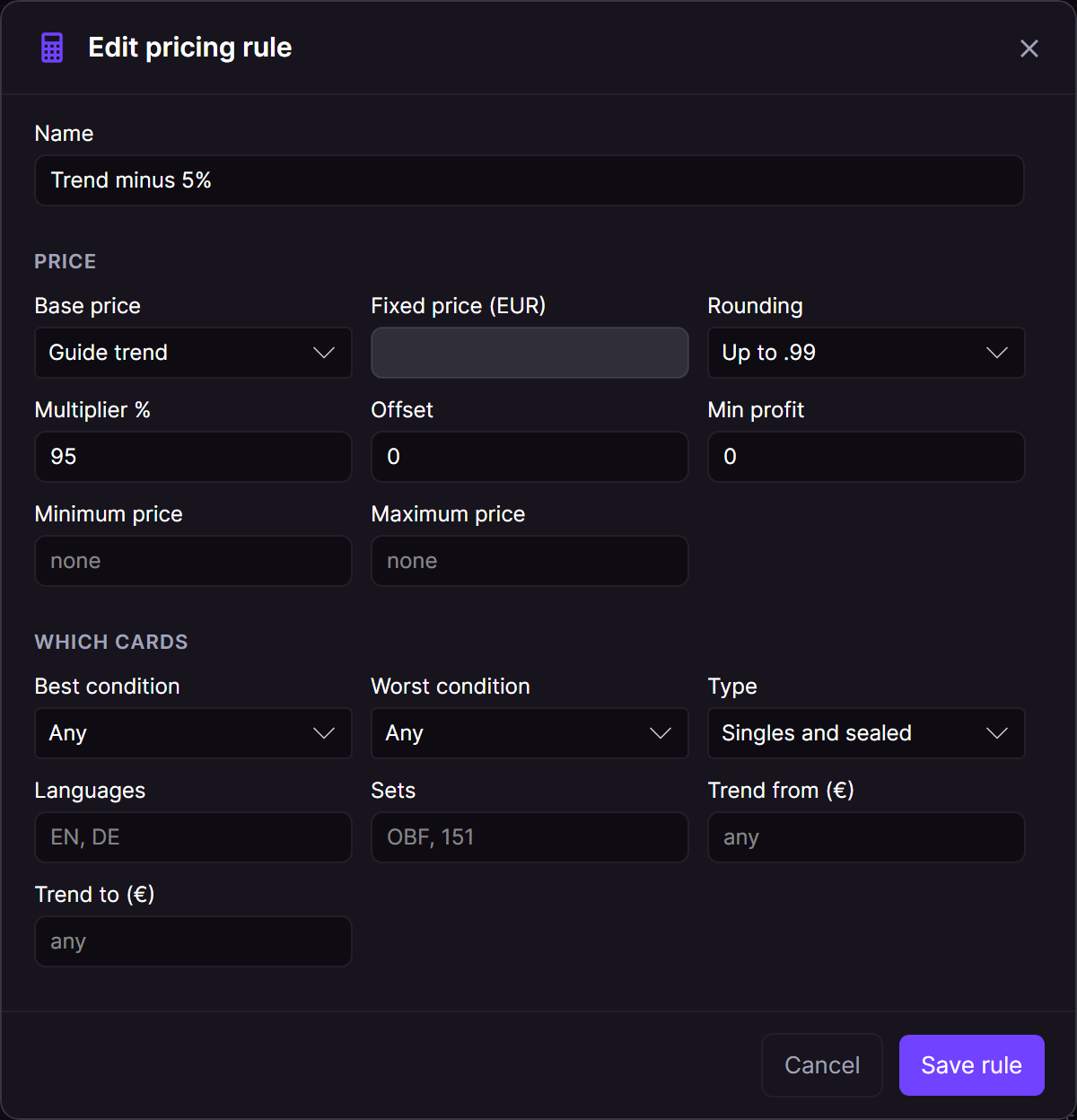
In RestocksAIO, a pricing rule does this sum for every copy. It starts from the guide trend, the guide low, an average, the lowest matching offer or a fixed price. Then it applies your multiplier, offset and rounding, and never goes under the floor. Dry run shows each new price, and Apply on Cardmarket changes only the rows that you tick.
Ship paid orders and mark them as sent
When the buyer pays, Cardmarket gives you the task to ship the order. You have seven days to post it. Cardmarket sets the shipping cost of each method and adds a packaging fee of 0,30 €, 0,50 € or 1,00 €, by the type of shipment.
Registered shipping is required for any shipment over 25,00 € and for some shipments over 10,00 € from a new seller. You are paid when you confirm the shipment of an untracked order, or when the buyer confirms the arrival of a Trustee order. On 7 November 2026, the Cardmarket help pages gave a sales commission of 5%.
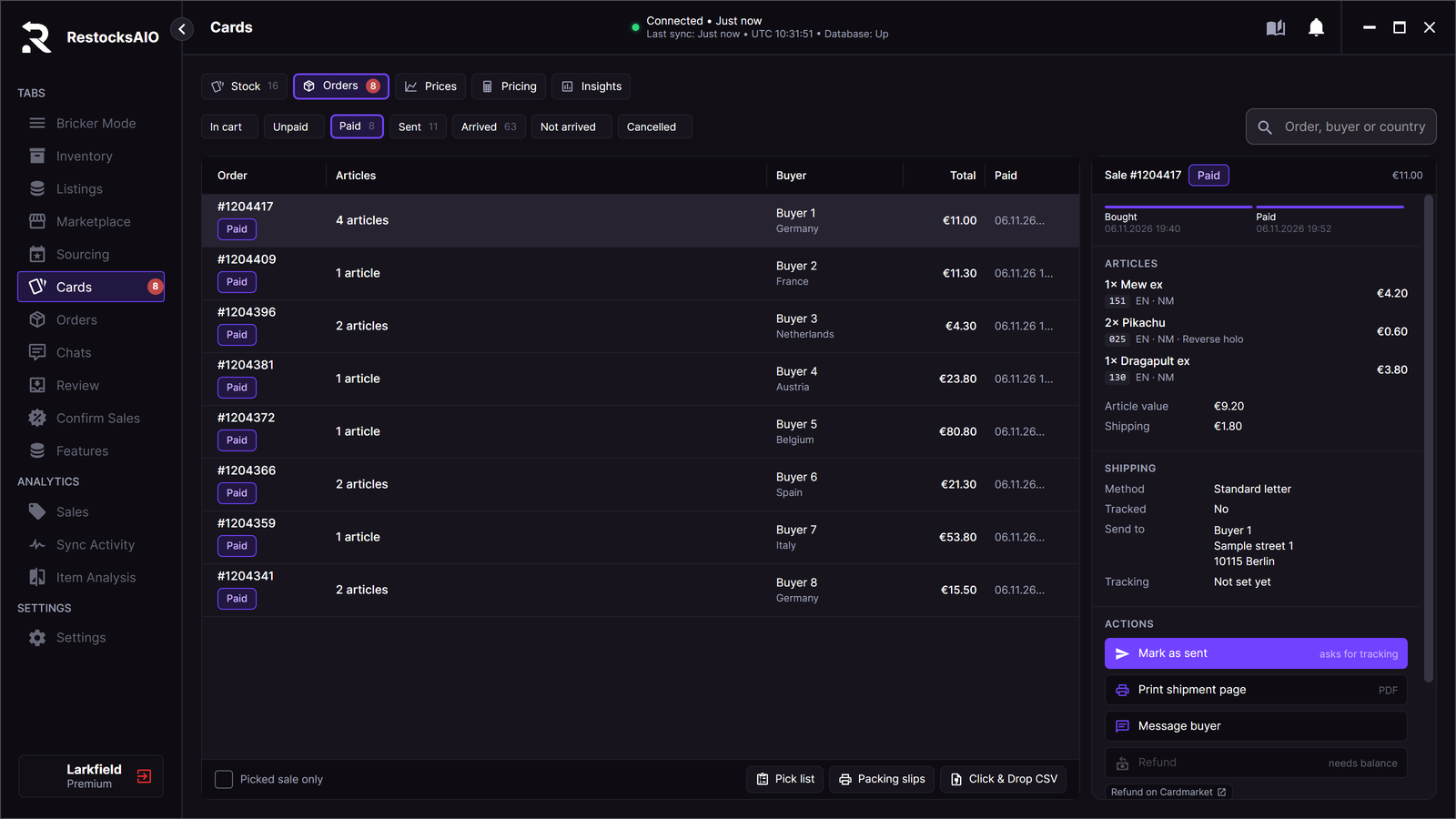
In RestocksAIO, Cards, Orders lists your Cardmarket sales by state, and Paid shows the orders to ship now. The pick list sorts the sold copies by location, set and number. Print packing slips, or export a Click & Drop CSV for Royal Mail. Mark as sent adds the tracking code on Cardmarket and marks the sale as sent in one step.
Find the cards that do not sell
After a month, look at which cards sit. Insights in the Cards tab shows the average days in stock and the sell-through of each set, language, condition and channel. A set that sells 2 of 40 copies in 90 days needs a lower price or another channel.
Slow cards and buy-low watches the cards that you choose. It alerts you when an offer is a set percentage under the trend. It never buys.
PlatformCardmarket in RestocksAIOStock, prices from the trend, orders and Insights for your Cardmarket account.What you need in RestocksAIO
Cards is in the Marketplace plan at EUR 15 a month and in Premium. You sign in to Cardmarket in a window that the app opens, so you need no API application. Cards holds one Cardmarket account and one CardTrader account, and it supports Pokémon singles and sealed product.
Related reading
All articles
Cardmarket vs CardTrader for sellers: fees, shipping and running both
Compare Cardmarket and CardTrader as a Pokémon seller: the seller fees from each official fee page, how you ship, when you are paid, and how to run one stock on both.
Sell cards on Cardmarket and eBay without overselling
Run one stock of Pokémon cards on Cardmarket and eBay: one unit per copy, a sale on one channel lowers the other, and high-value singles stay on one channel.
Where to sell sealed Pokémon products: boxes, cases and lots
Compare StockX, Cardmarket, TCGplayer, eBay and Whatnot by catalogue fit, region, fulfilment and the sealed formats each channel handles best.