Run StockX electronics through the same owned-inventory, listing, repricing and payout engine as the rest of the operation, while keeping StockX eligibility and any dangerous-goods shipping instructions attached to the sale.
Electronics do not follow sneaker bulk shipping. The workflow keeps sealed condition, eligibility and fulfilment separate per unit rather than grouping them into one box plan.
 ConsoleSealed · retail boxSealed
 HeadphonesSealed · retail boxSealed
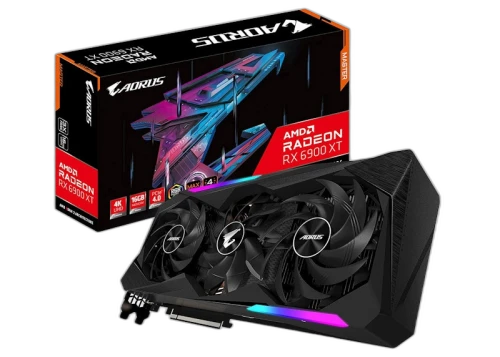 Graphics cardSealed · anti-staticSealed
Use manual entry or CSV, or barcode lookup when the exact electronics product resolves in the database.
Push inventory-linked electronics listings to StockX in batches.
Use the marketplace-issued label and follow any item-specific battery or carrier instructions.
Bricker holds prices to a floor; payout tracking follows every confirmed sale.
StockX currently excludes electronics from its published native Bulk Shipping flow, so eligibility and shipment documents must come from the marketplace.
Only group sales accepted by StockX for that shipment.
Preserve dangerous-goods instructions where they apply.
Keep marketplace labels connected to the confirmed sale.
Carry the order into pickup and proof of delivery.
Owned stock and active listings stay in one place, linked to where they sell.
Quantity and cost tracked per electronics SKU.
One product and its listings under a single unit.
See what's live on StockX without leaving the pane.
Scanner and lookup add items in seconds.
Prepare and push electronics listings in batches, not one at a time.
Push batches to StockX electronics.
Listings draw straight from owned stock.
Import listing data where a file is faster.
Edit price and state across many items at once.
Stay competitive on StockX without cutting through your margin.
The minimum payout a SKU may drop to.
StockX payouts before you price.
Rules scoped to a product.
Adjusts where the account and marketplace allow.
Confirmed sales feed payout and profit visibility without a weekly export.
Confirmed sales feed the numbers live.
Cost, payout and margin on each item.
Reconcile the charge actually returned with the sale.
Pull data out when accounting needs it.

Review current plan availability for inventory, StockX listing, payout tracking and eligible automation on the pricing page.
