How to sell on WeTheNew: Seller Space steps, fees and payout
You sell on WeTheNew through Le Seller Space at sell.wethenew.com. You list a product, WeTheNew sends an offer, and the first seller who accepts the offer gets the sale. WeTheNew deducts a service fee of €2.50 from each sale.
 The RestocksAIO teamOperators, not flippers
How selling on WeTheNew works
WeTheNew is not a peer-to-peer marketplace. WeTheNew buys the product from you and sells it in its own store. You sell new, authentic sneakers and limited products.
The Seller Space has three methods:
- Listing. You list a product that you own and name your price. WeTheNew sends an offer by e-mail when it needs the product. You ship or drop off the product after the sale.
- Consigning. You book a place, set a price inside the limit of WeTheNew, and send the product in. WeTheNew pays you after the product sells.
- Sell now. You accept one of the current offers of WeTheNew.
WeTheNew sets an offer from the model, the size and the market value. It also reads the prices that all sellers ask for that product and size. The offer can change from day to day.
Who can sell on WeTheNew
The seller FAQ lists these conditions:
- Account data. You give your personal information, one address and one payment method.
- Location. You ship from a European country or from mainland France. WeTheNew does not accept parcels from the French overseas territories.
- Product condition. The product is new and never worn. The packaging is not damaged, and all accessories are present.
- Identity. WeTheNew can block an account until you upload an ID.
An individual account has a limit. The FAQ states that an individual with more than €2,000 of sales or 30 transactions in a year must register as a professional. WeTheNew counts turnover, not margin, and it counts consignment sales.
To sell as a professional, you give WeTheNew your business data, for example a SIRET number and a VAT number. WeTheNew publishes a diagram that shows which professional status and VAT regime fits each country. The link is in the Compliance section of the FAQ.
Account setup and first sale: the steps
- Open sell.wethenew.com and create an account.
- Enter your personal information and one address.
- Add a payment method. For a bank transfer, give the IBAN, the BIC and the name of the account holder. For PayPal, give the e-mail and the name of the account holder.
- Upload an ID when WeTheNew asks for one.
- List each product that you own, with the size and your price.
- Wait for an offer e-mail. WeTheNew sends one when it needs the product.
- Open the offers tab and accept the offer. The first seller who accepts gets the sale.
- Read the sale confirmation e-mail. It holds the shipping label and one sales voucher for each product.
If another seller is faster, WeTheNew tells you that it no longer needs the product. Your listing stays active, and you can receive the next offer. If you do not want an offer, decline it and give a reason.
WeTheNew seller fees and a payout example
WeTheNew publishes no percentage commission for a Listing sale. Your payout starts from the offer that you accept.
| Fee | Amount | When it applies |
|---|---|---|
| Service fee | €2.50 for each sale | Each accepted offer and each consignment sale. Not charged when the product fails the checks. |
| Bank transfer | No fee | Standard payment to your bank account. |
| PayPal | 2% | WeTheNew divides the amount by 1.02. |
| Express payment | 3.5% of the transaction | Optional. You receive the payment in 2 working days. |
| Return of a consigned product | €25 in the first 30 days, then €10 | When you take consigned stock back. |
| Missing sales voucher | €5 | The FAQ states that a parcel without the voucher can incur this fee. |
The example uses an accepted offer of €200.00:
| Payment option | Calculation | Payout |
|---|---|---|
| Bank transfer | €200.00 - €2.50 | €197.50 |
| PayPal | €197.50 / 1.02 | €193.63 |
| Bank transfer with Express | €197.50 - 3.5% of €200.00 | €190.50 |
The numbers come from the WeTheNew Seller Space FAQ (fee numbers checked Sep 2026). Use the marketplace fee calculator for your own offer.
The FAQ gives two amounts for the return of a product that fails the checks. One answer states €12 for each pair, and another states €15. Read the amount on the payment link that WeTheNew sends you.
Shipping, drop-off and the quality check
After a sale, WeTheNew sends an e-mail with PDF files. Follow these steps:
- Print the files. Page 1 is the DHL label. Page 2 holds the waybill number for a DHL pickup. The next pages are the sales vouchers.
- Put one sales voucher inside the packaging of each product.
- Put the product in a shipping carton. Protect the product box against damage.
- Attach the DHL label to the shipping carton, not to the product box.
- Take the parcel to a DHL relay point, or book a DHL pickup.
Deadline. The FAQ states that an accepted offer means the product is ready to ship within 2 working days. Its rules section names the deadline on the sales voucher, 3 working days after the sale. Use the date on your sales voucher.
Carrier. WeTheNew accepts DHL parcels with its own label only. You can send several sold products in one parcel. If DHL loses a parcel, WeTheNew reimburses up to €200 for each parcel.
Drop-off. You can bring a sold product to the Annexe in Paris within 3 working days. You show the QR code from the confirmation e-mail. You cannot drop off consigned products.
Checks. WeTheNew checks quality and authenticity after the product arrives. The check takes up to 2 working days. WeTheNew rejects a product with stains, glue traces, scratches or signs of wear. It also rejects a wrong size, damaged packaging or missing accessories. A rejected product goes back to the address it came from, and you pay the return.
When WeTheNew pays
WeTheNew pays after the quality and authenticity checks. The FAQ gives these times:
- Standard payment: 30 working days maximum after WeTheNew receives the product.
- Express payment: 2 working days, for a fee of 3.5% of the transaction.
- Consigned product: 30 working days maximum after the product sells.
You activate Express payment for one listing, for one sale, or for all future sales in your profile. A wrong IBAN delays the payment. If the IBAN belongs to another person, WeTheNew cannot recover the money.
Common mistakes
- You accept late. WeTheNew processes answers in order, and the first seller gets the sale.
- You accept an offer for a product that is not ready. An accepted offer commits you to ship.
- You forget the sales voucher. The payment is late, and WeTheNew can charge €5.
- You use another carrier. WeTheNew refuses a parcel that does not use its DHL label.
- You put the label on the shoe box. Damaged packaging is a reason for rejection.
- You cancel after the confirmation. WeTheNew gives a warning. After 3 warnings, WeTheNew bans the seller permanently.
- You pass the limit of an individual account. WeTheNew blocks the account until you register as a professional.
How RestocksAIO handles WeTheNew
RestocksAIO connects to your Seller Space account. These are the functions that the app has for WeTheNew:
- Connect. You sign in with the e-mail and the password of your WeTheNew seller account. An account with a Google or Facebook login uses the Cookie Importer.
- Account options. You set your listing VAT rate and your payment option, Standard or Express.
- List. You add pairs in the Item Addition window by hand, from a CSV file or with a barcode scanner. You choose WeTheNew as a site.
- Offer Sniper. A Bricker Mode task holds your lowest payout and watches the offers for the pair. It accepts an offer whose payout reaches your lowest payout. It can decline a lower offer.
- Confirm Sales. Load Unconfirmed lists your open offers, and you accept or decline each one.
- Labels. The Label Dialog loads the labels of your sold pairs. One option marks a confirmed sale for drop-off.
Three limits apply. A WeTheNew task watches offers and changes no listing price. Another seller can accept an offer before your task does. The task runs while the app is open.
Listing, Confirm Sales, labels and invoices are in the Standard plan. The Offer Sniper is in the Premium plan.
PlatformWeTheNew in RestocksAIOThe Offer Sniper, Confirm Sales and labels for your Seller Space account.The Offer Sniper page shows the rule in detail. The docs explain how to receive more WeTheNew offers. To compare WeTheNew with other marketplaces, read where to sell sneakers in 2026.
Sources
- WeTheNew: FAQ Seller Space, sections Service Fees, Compliance, Consignment, Payment, Quality and Authenticity Checks, Shipping a Product and Selling a Product (checked 12 October 2026).
- sell.wethenew.com, the Seller Space.
WeTheNew states in the FAQ that some information can change because of its current situation. Check the FAQ before each larger shipment.
Related reading
All articles
How to sell on KLEKT: account setup, seller fees and payout
How selling on KLEKT works: the seller account, Hyperwallet, the 6% commission and 2% processing fee, the shipping window, authentication and the payout.
Should you auto-accept offers? An offer-sniping strategy guide
Auto-accepting offers can close sales while you sleep. It can also give away margin if your floor is wrong. Here's how to decide, and how to set a floor that makes it safe.
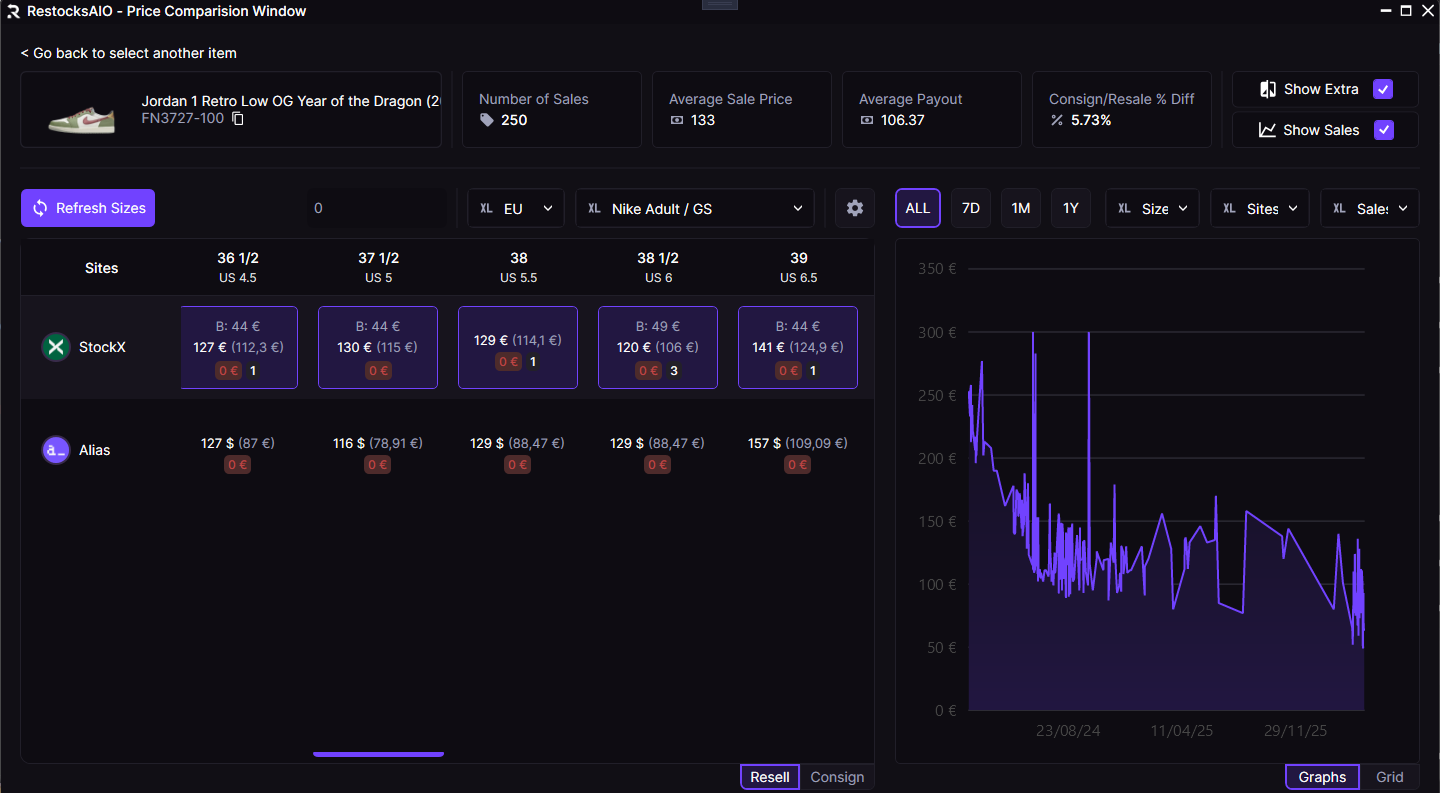
Where to sell sneakers in 2026: StockX vs Alias vs WeTheNew vs POIZON
Each authenticated marketplace reaches a different buyer and pays out differently. Here is how to decide where a given pair should be listed in 2026.