How to sell on KLEKT: account setup, seller fees and payout
You sell on KLEKT through the KLEKT app. You become a seller, list an item at your price, and ship a sold item to KLEKT for authentication. KLEKT deducts a 6% commission, a 2% order processing fee and a shipping charge from your payout.
 The RestocksAIO teamOperators, not flippers
How selling on KLEKT works
KLEKT is a marketplace with authentication. When an item sells, you ship it to KLEKT, and KLEKT inspects it. The item goes to the buyer after the inspection. KLEKT releases your payment when the buyer receives the item.
The KLEKT Terms of Service describe the inspection. The authentication team of KLEKT inspects each item, and a third-party authenticator inspects it too. The terms state that the decision is final.
You set your own price in euros. You can list new items and used items. A used item or an item with a defect needs photos.
Who can sell on KLEKT
The Terms of Service, section 4.1, list three conditions for a user:
- You are at least 18 years old.
- You have the legal capacity to enter into contracts.
- You use KLEKT for personal, non-business purposes only.
The terms list no countries. They state that the shipping options for a seller depend on the location. Check in the app that your country has a shipping option before you list stock.
Account setup and first listing: the steps
- Install the KLEKT app from the App Store or from Google Play.
- Tap Become a Seller, or create an account with your e-mail address.
- Enter your name, address, date of birth and phone number.
- Choose a payment method: PayPal or a bank account.
- Search for the product by name or style code and tap Sell.
- Choose the size and set your price in euros. Add photos for a used item.
- Verify your Hyperwallet account. KLEKT creates it when you list your first item and sends a link by e-mail.
KLEKT pays sellers through Hyperwallet. Hyperwallet can ask for a government-issued ID and a proof of address, for example a utility bill. Prepare both documents before your first sale. Source: KLEKT FAQ (checked 12 October 2026).
KLEKT seller fees and a payout example
The Terms of Service list three seller fees. KLEKT shows them before you confirm a sale and deducts them from the payout.
| Seller fee | Amount |
|---|---|
| Seller commission | 6% |
| Order processing fee | 2% |
| Shipping | Variable. It depends on your location. |
The example uses a sale price of €200.00:
| Line | Amount |
|---|---|
| Sale price | €200.00 |
| Seller commission (6%) | - €12.00 |
| Order processing fee (2%) | - €4.00 |
| Payout before shipping | €184.00 |
| Shipping | The amount that KLEKT shows for your location |
Subtract the shipping charge that KLEKT shows you to get the final payout. The fee numbers come from the KLEKT Terms of Service (fee numbers checked Sep 2026). The marketplace fee calculator has a field for the shipping charge.
Three more facts from the terms:
- KLEKT states that all fees include VAT where applicable.
- The buyer pays separate buyer fees. They do not reduce your payout.
- KLEKT publishes one fee schedule. It publishes no seller levels with lower fees.
The terms also list administrative fees for a seller. Each of these cases costs €15: an accepted order that you do not ship, a counterfeit item, a wrong size, a wrong item and a damaged box. A declined order costs €0.
Shipping and authentication
After a sale, follow these steps:
- Open your sold items in the app and download the shipping label. KLEKT provides it as a PDF file.
- Pack the item with all listed parts, for example the box and the accessories.
- Print the label and attach it to the parcel.
- Ship the parcel to the KLEKT warehouse inside the shipping window.
Shipping window. The KLEKT FAQ gives 72 to 96 hours. The terms name no number. They state that you ship "within the required timeframe". A late shipment can lead to a cancelled sale and to fees.
Pick Up. The terms name a Pick Up option. It is available in certain locations only.
Result of the inspection. An item that passes goes to the buyer. The KLEKT FAQ states what happens when an item does not match the listing. KLEKT cancels the sale and consigns the item on your behalf. KLEKT does not consign a counterfeit item. A failed inspection can also cost the administrative fee.
When KLEKT pays
The KLEKT FAQ states: "Once the buyer receives the sneakers, KLEKT will release your payment." Hyperwallet processes the payment and transfers it to PayPal or to your bank account.
KLEKT publishes no number of days for the payout. The time includes your shipment, the inspection and the delivery to the buyer. Check the status of each sale in the app, and check your Hyperwallet account for the transfer.
Hyperwallet requires the verification of your account. Finish it before your first sale.
Common mistakes
- You price without the fees. Subtract 8% and the shipping charge before you set a price.
- You ship late. KLEKT can cancel the sale and charge €15.
- You list the wrong size or the wrong item. Each case costs €15.
- You ship a damaged box. KLEKT lists a damaged box as a fee case. Describe the box condition in the listing.
- You list a used item without photos. KLEKT requires photos of signs of wear and flaws.
- You wait with the Hyperwallet verification. The payout needs a verified account.
- You list one pair on several marketplaces and do not remove it after a sale. The second sale becomes an order that you cannot ship.
How RestocksAIO handles KLEKT
RestocksAIO connects to your KLEKT account. These are the functions that the app has for KLEKT:
- Connect. You type the e-mail of your KLEKT account. KLEKT sends a code, and you type the code in the app.
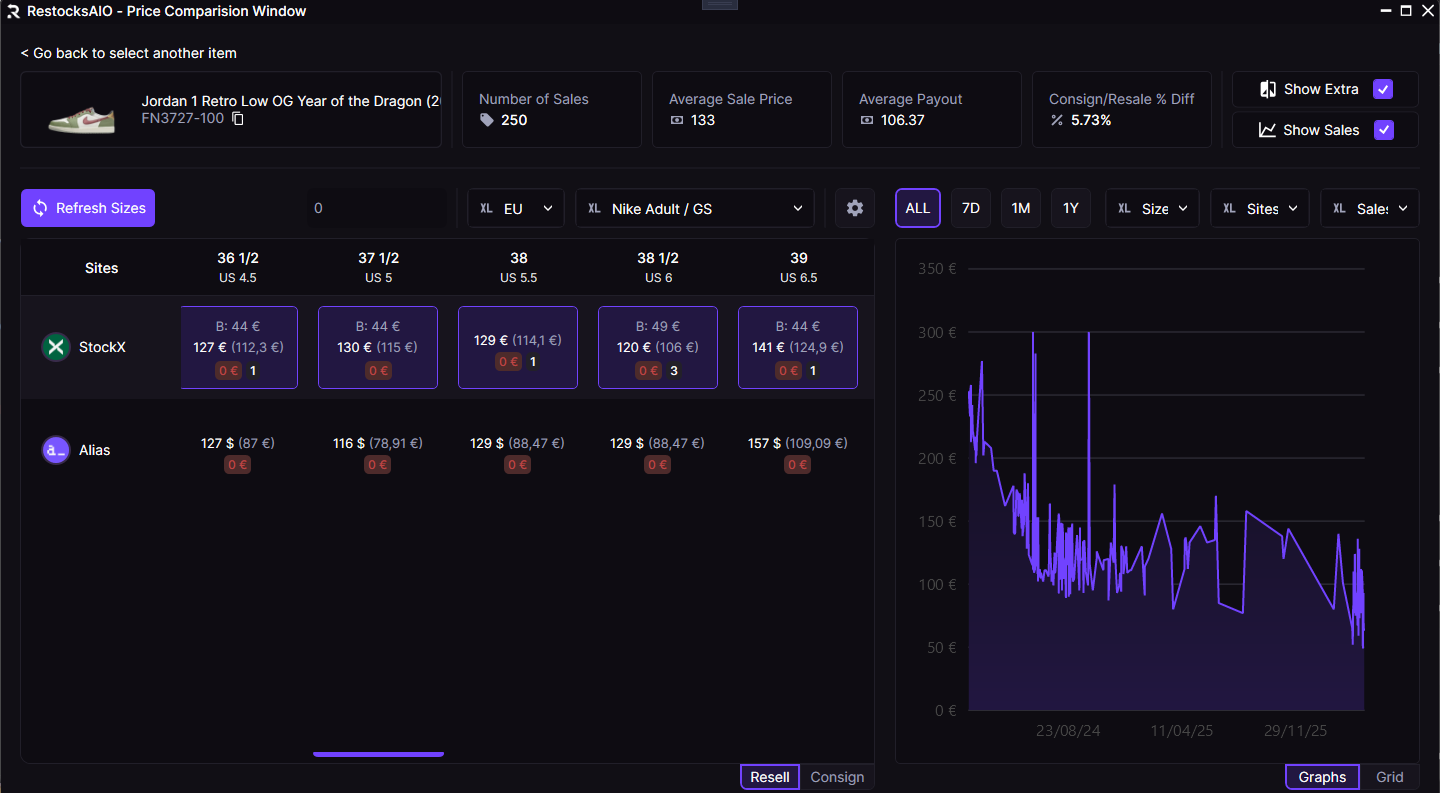
- Price Comparison. The window shows the price, your payout and your profit for each size on KLEKT, beside your other marketplaces.
- List. You add pairs in the Item Addition window by hand, from a CSV file or with a barcode scanner. A KLEKT listing with three units shows as three rows.
- Bricker Mode. A task holds your lowest payout and your max payout. Bricker Mode reads the KLEKT price of the size and changes your price inside that range.
- Auto-Confirm. The app confirms your pending KLEKT sales every 5 minutes. Load Unconfirmed lists them when you want to confirm each sale by hand.
- Labels. The Label Dialog loads the label of a confirmed sale after KLEKT has made it.
Auto-Confirm and Bricker Mode run while the app is open. Listing, Price Comparison, Confirm Sales, labels and invoices are in the Standard plan. Bricker Mode is in the Premium plan.
PlatformKLEKT in RestocksAIOPrice Comparison, Auto-Confirm, Bricker Mode and labels for your KLEKT account.The Confirm Sales page explains Auto-Confirm. To keep one pair from selling twice, read how to avoid overselling across marketplaces. For the same guide about WeTheNew, read how to sell on WeTheNew.
Sources
- KLEKT Terms of Service, last updated 25 June 2026: section 4.1 (eligibility), section 7 (selling), section 10 (authentication), section 11 (shipping) and Appendix 1 (fees). Checked 12 October 2026.
- KLEKT FAQ: seller account, Hyperwallet, shipping window, label, payment release. Checked 12 October 2026.
Related reading
All articles
How to sell on WeTheNew: Seller Space steps, fees and payout
How selling on WeTheNew works: the Seller Space account, offers and consignment, the €2.50 service fee, DHL shipping, the checks and the payout.
How to compare net payouts across marketplaces before you buy
Whether to buy depends on the payout. Here's how to check what a pair will net you on every marketplace you sell on, before you pay for it.
Where to sell sneakers in 2026: StockX vs Alias vs WeTheNew vs POIZON
Each authenticated marketplace reaches a different buyer and pays out differently. Here is how to decide where a given pair should be listed in 2026.